Roles & Features
Learn what administrators, agents, employees, and read-only auditors can do in AgentZuno, with practical steps for everyday work.
Your workspace role controls which actions you can take. Groups, assignments, and record permissions determine what you can access.
Choose the right role
| Role | Main purpose | Configuration access |
|---|---|---|
| Admin | Set up the workspace and manage support work | Users, groups, providers, workflows, knowledge, Data Tables, and Audit |
| Agent | Handle permitted requests and tasks | No workspace administration |
| User | Ask for help, read permitted knowledge, and follow their requests | No workspace administration or internal work notes |
| Read Only | Review permitted records and reports | Inspection only; no changes, approvals, or AI conversations |
Roles do not override knowledge permissions or give access to another person's private chat files.
Start with your role
Admins: Follow Getting Started, connect an AI provider in Settings, and add people and groups. Groups can handle assignments, approvals, or both. Then build workflows and publish knowledge.
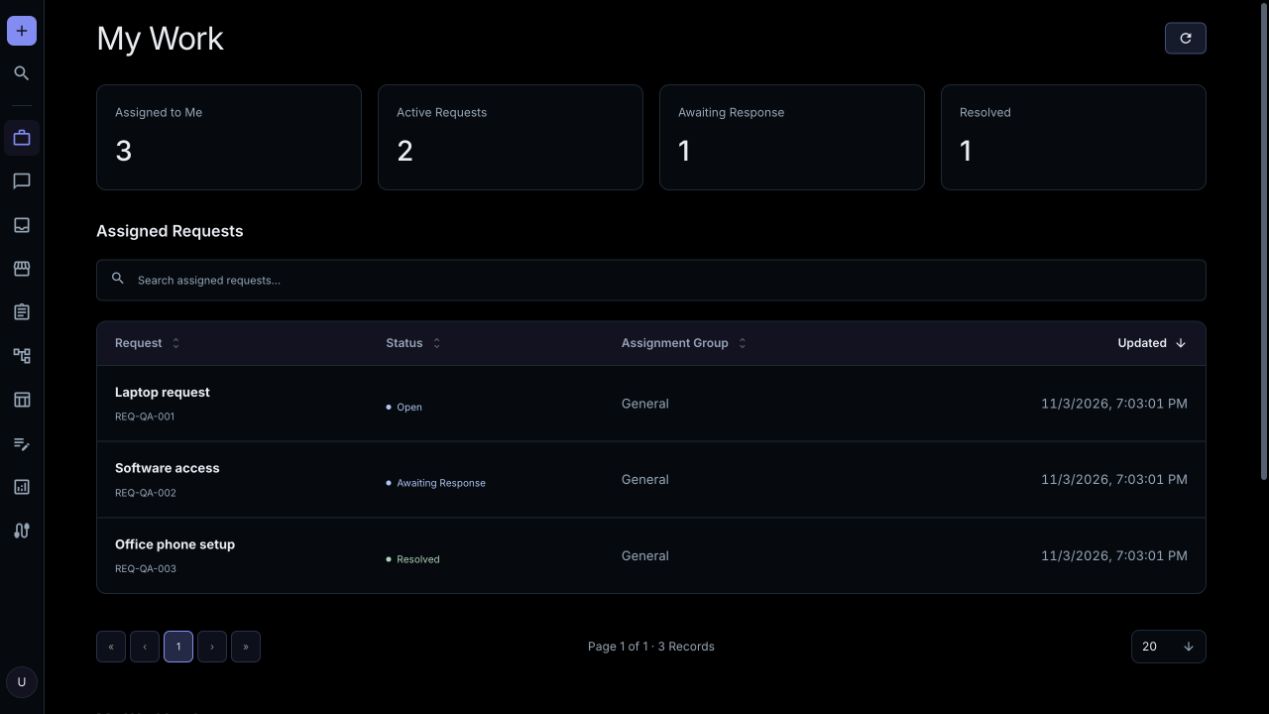
Agents: Open Dashboard → My Work for assignments and workload, and Inbox for accessible work and approvals. Follow Requests & Tasks to update records and collaborate with your team.
Users: Open Chat, describe what you need, and submit the offered form when ready. Follow your requests from Dashboard → My Requests. Browse Knowledge for guidance you can read.
Read Only: Open permitted records and reports to inspect them. This role cannot save changes, publish, post messages, decide approvals, or run AI conversations.
Approval permission
Admins, Agents, and Users also need approval permission and a current assignment to approve or reject a request. Requesters cannot approve their own workflow requests. Read Only members cannot decide approvals.
Manage reference information
Admins use Data Tables to manage reference records and custom tables. Open a table and select Edit Table to review its definition. Built-in fields have protections; source-managed records link to their original editor. Custom table deletion requires its exact name and removes its records.
Form lookups expose permitted choices; they do not grant access to every record in a table.
Review reports and Audit
Open Reports and choose a report and date range. Team reporting follows your role and assignments. Admins and Read Only members can review permitted audit records; Chat Activity transcripts are Admin-only. Available list actions export permitted records.
For audit retention and technical access rules, see Agents & Permissions and Security & Sandbox.
Keep your profile current
Open Profile from the account menu to update your name, photo, and time zone. Directory-managed workforce fields must be changed through your identity provider.
For a fictional workspace example, use Settings → Demo Data as an Admin. Demo records follow ordinary permissions and can be removed there later.